
This article explains how to start one of the SAFR Services under Windows
Note: To start all services, use the 'start.bat' file located in C:\Program Files\RealNetworks\SAFR\bin.
- Also, can you try to start the ARES service as follows:
- Click Windows Start Menu button
- Type “Services” and select “Services” App
- Following Window should open
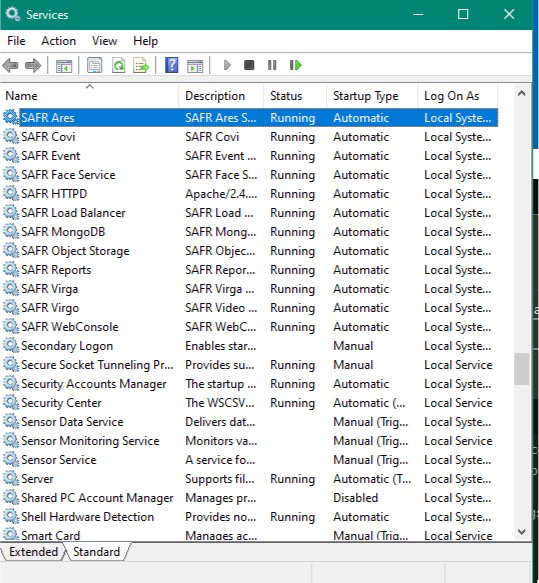
- Scroll to the “SAFR” services.
- Click the SAFR Service you wish to start and click “Start” button in the toolbar to start the service.
Confirm the Windows Service starts.