
Issue
In SAFR 3.30 and prior, opening the System Configuration page in SAFR Desktop can cause a crash of the app.
See bug description on JIRA: https://rncorp.atlassian.net/browse/CV-9294.
Fix
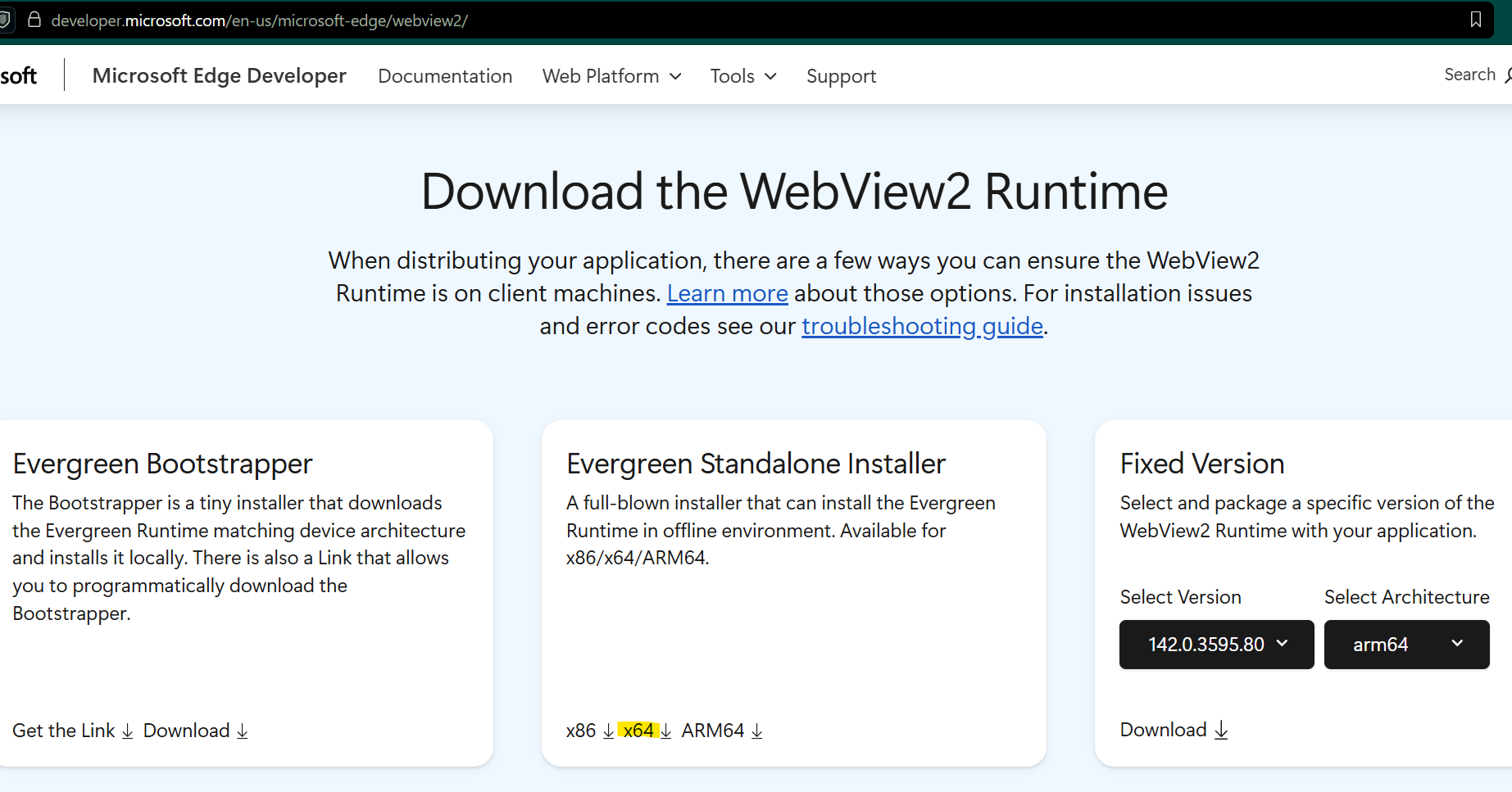
- Go to https://developer.microsoft.com/en-us/microsoft-edge/webview2/
- Download the x64 version of the Evergreen Standalone Installer.
- Install MicrosoftEdgeWebView2RuntimeInstallerX64.exe on the client machine where the bug is present.
Customer Communication
Below is a proposed communication to the customer to justify installing the WebView2 runtime on the client machine:
When opening SAFR Desktop > Tools Menu > System Configuration, the window closes immediately with no error message. This is because we changed the way we embed web pages in the SAFR app in our latest releases. We're working on getting this runtime included in our software package for future releases, in the meantime we recommend installing the runtime from Microsoft directly. To do so, go to https://developer.microsoft.com/en-us/microsoft-edge/webview2/ and download the x64 version of the Evergreen Standalone Installer. This will install the WebView2 runtime on the computer and fix the issue present in SAFR.