
Since SAFR Platform 3.20, SAFR object store server (CVOS) stores objects in hierarchical directory structure to improve the CVOS and OS tools performance with very large number of objects.
In legacy storage ( < 3.20 ), CVOS stores objects in following structure.
All objects are stored just under "directory" specified in the SAFR API (default: main).
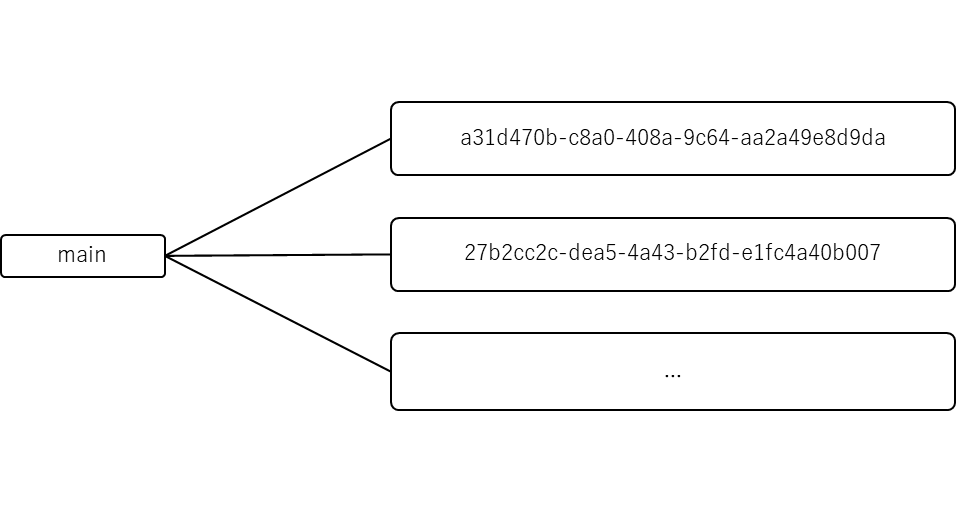
In hierarachical storage (>= 3.20), CVOS stores object in 3-layer structure under the SAFR directory.
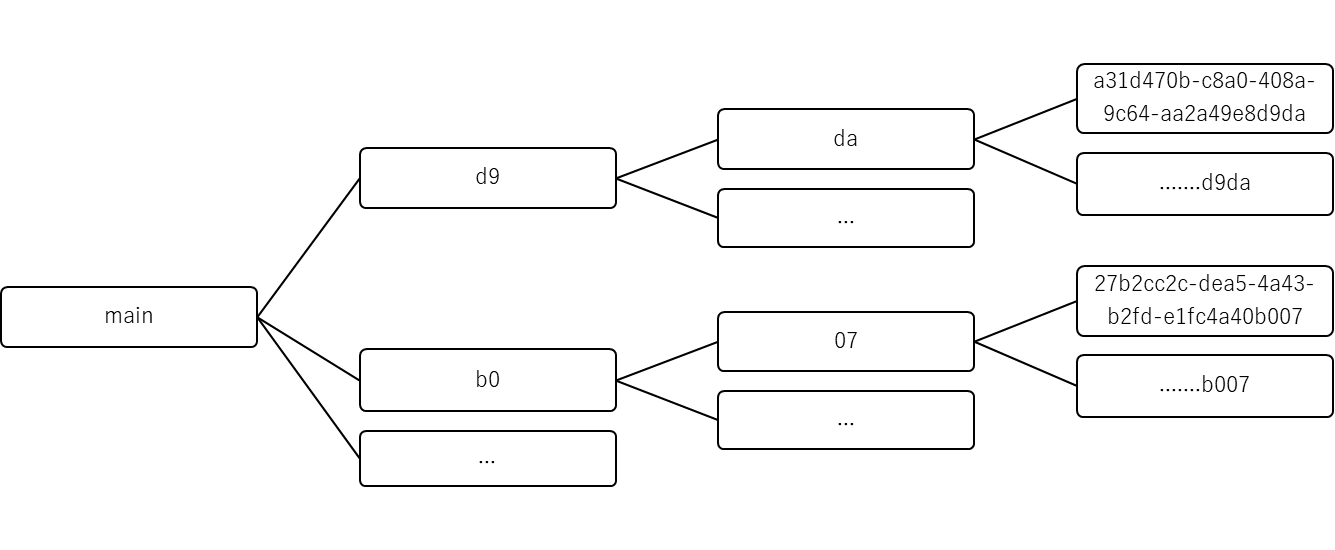
The first layer is picked from the first 2 characters of the last 4 characters of the object ID. The second layer is picked from the second 2 characters of the last 4 characters of the object ID.
So if the object ID is "a31d470b-c8a0-408a-9c64-aa2a49e8d9da", then the first layer is "d9" and the second layer is "da". Under the second layer, all objects ended with "d9da" are stored.
With this layout, the 1st and 2nd layer can grow to 4096 entries at max.
For backawrd compatibility, if object with new hierarchical path is not found, legacy (non-hierarchical) path will be tried. All new objets will be recorded using new hierarchical path unless creating of hierarchical path fails.
If you upgrade SAFR Platform older than 3.20 to 3.20, your cv-storage will have the mixed object layout. New objects will be stored using the hierarchical layout but the old objects remains in legacy layout.