
SAFR SCAN and SAFR Camera date and time settings are configured from SAFR Server starting with version 2.1 of SAFR Firmware. Use following instructions set date and time.
- Open SAFR Desktop and go to Tools menu > Video Feeds > "..." menu > Set feed defaults
- Click"+" next to "system" and add following:
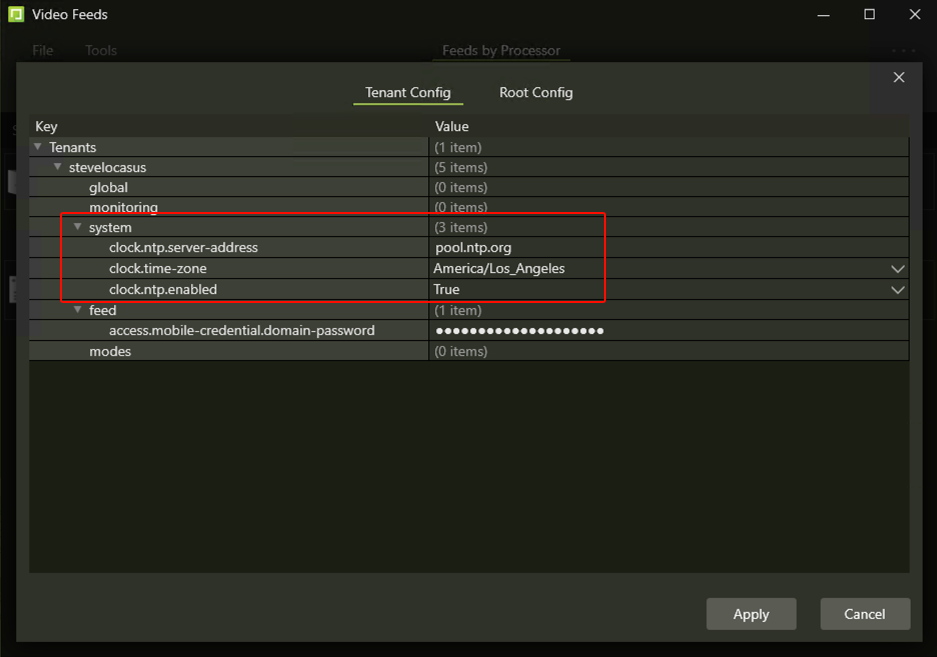
If using SAFR Server Web Console to manage the readers, go to Video Feeds > Tenant Config > system and add the same attributes.