
In this article, we will explore how to configure a SAFR device to send notifications when it gets disconnected from power. This powerful feature helps ensure that you are alerted in critical situations.
Step 1: Configure the SMTP Server
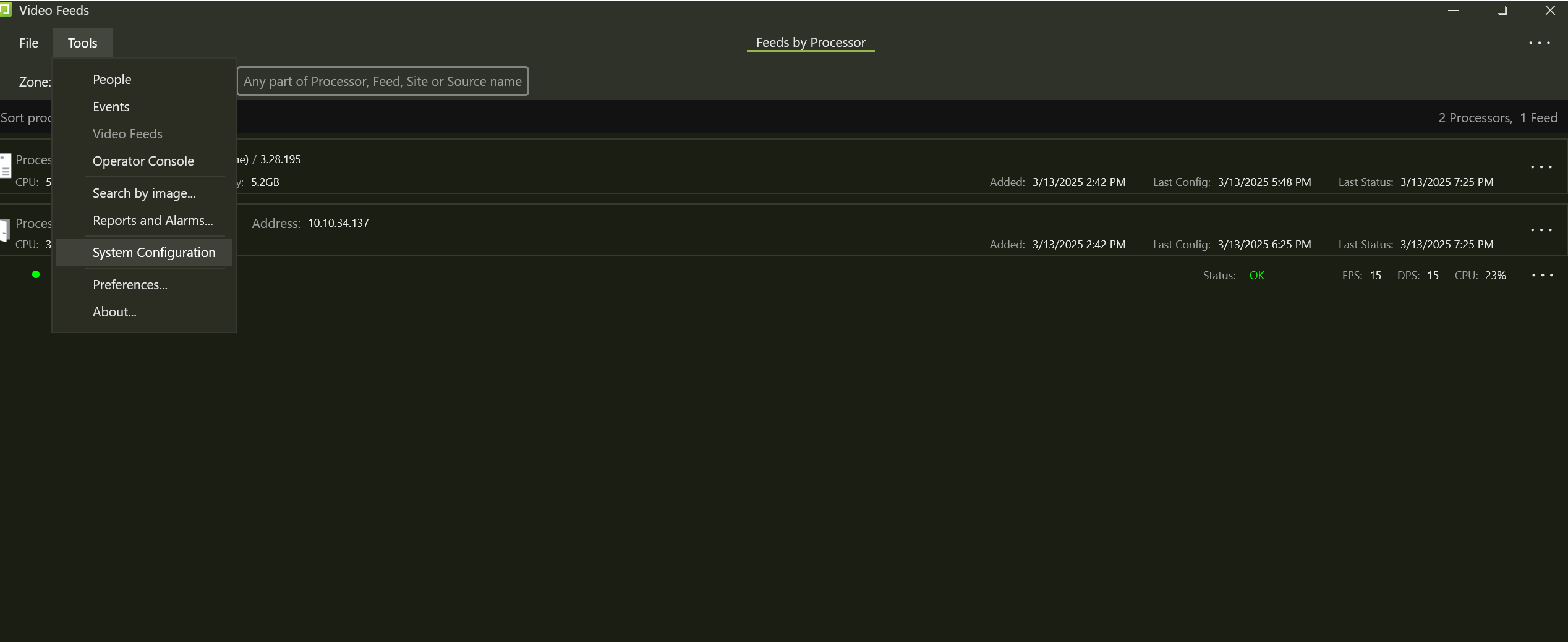
Navigate to Tools > System Configuration.
Locate the Notification Services Configuration section.
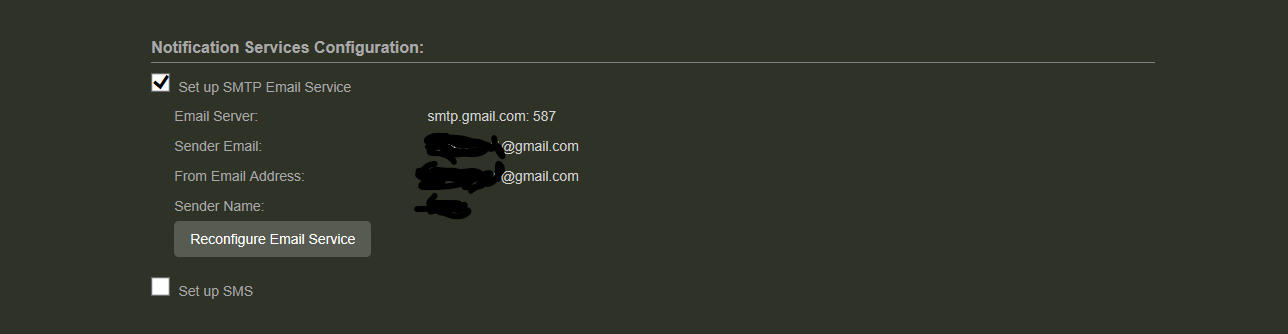
Configure the SMTP server settings. In the example below, we use Google's SMTP server:
If you use 2-Step-verification with a Gmail account, you need to create and use an App Password on your Google Account. For more information, see https://support.google.com/mail/answer/185833?hl=en
Once there look under Notification Services Configuration. In example below we are using Google's SMTP Server
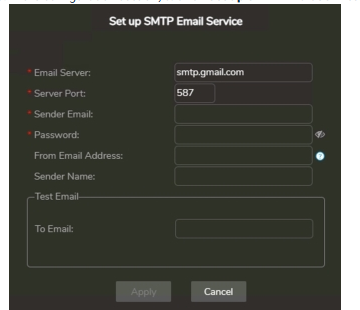
Ensure that you receive a test email to verify that the configuration is correct.
Step 2: Select the Device for Notification
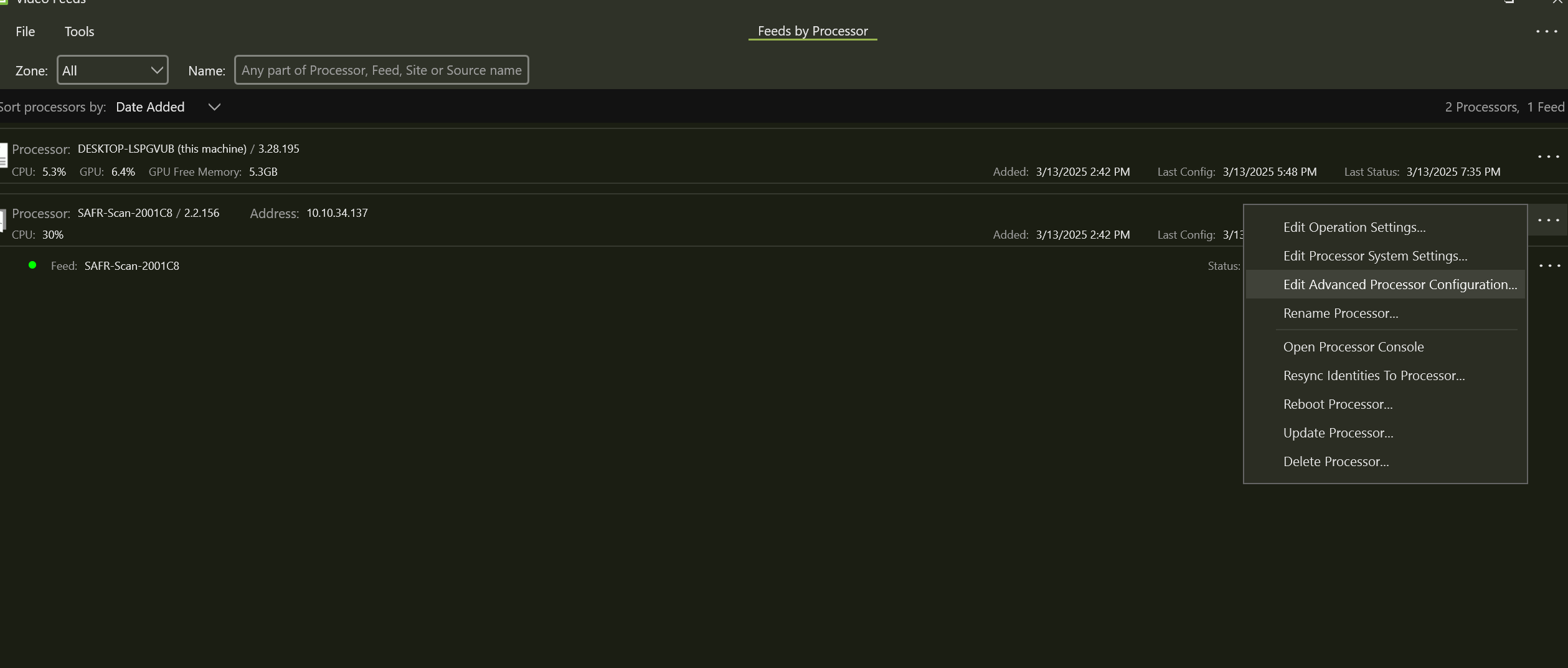
From the Video Feeds section, select the SAFR device for which you want to configure notifications.
Click on the three dots ( ⋮ ) next to the device and select Edit Advanced Processor Configuration.
Step 3: Enable Alarm Feature
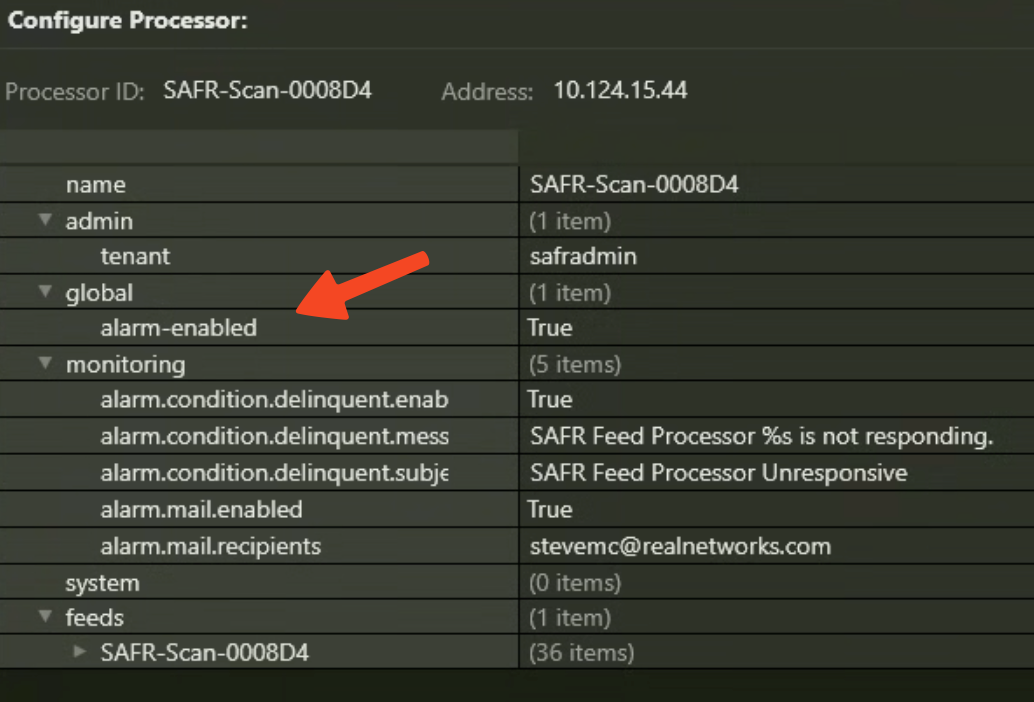
In the Global Settings, enable the alarm feature.
Under the Monitoring section, ensure the following configurations:
alarm.mail.enabled → Set this to true to activate email notifications.
alarm.mail.recipients → Enter the recipient email addresses. If adding multiple recipients, separate them with commas:
email1@example.com, email2@example.comalarm.condition.delinquent.message → Define the message that will be sent in case of a power failure.
alarm.condition.delinquent.subject → Set a subject for the alert email.
Step 4: Apply Changes and Test
Click Apply Changes to save the configuration.
The device will reboot. Wait for it to fully restart.
To test the feature, unplug the device from power.
After a few seconds, you should see an Alarm Condition Info notification in your Video Feed.
Shortly after, an email should arrive notifying you that the device is not responding.
Video Feed

